
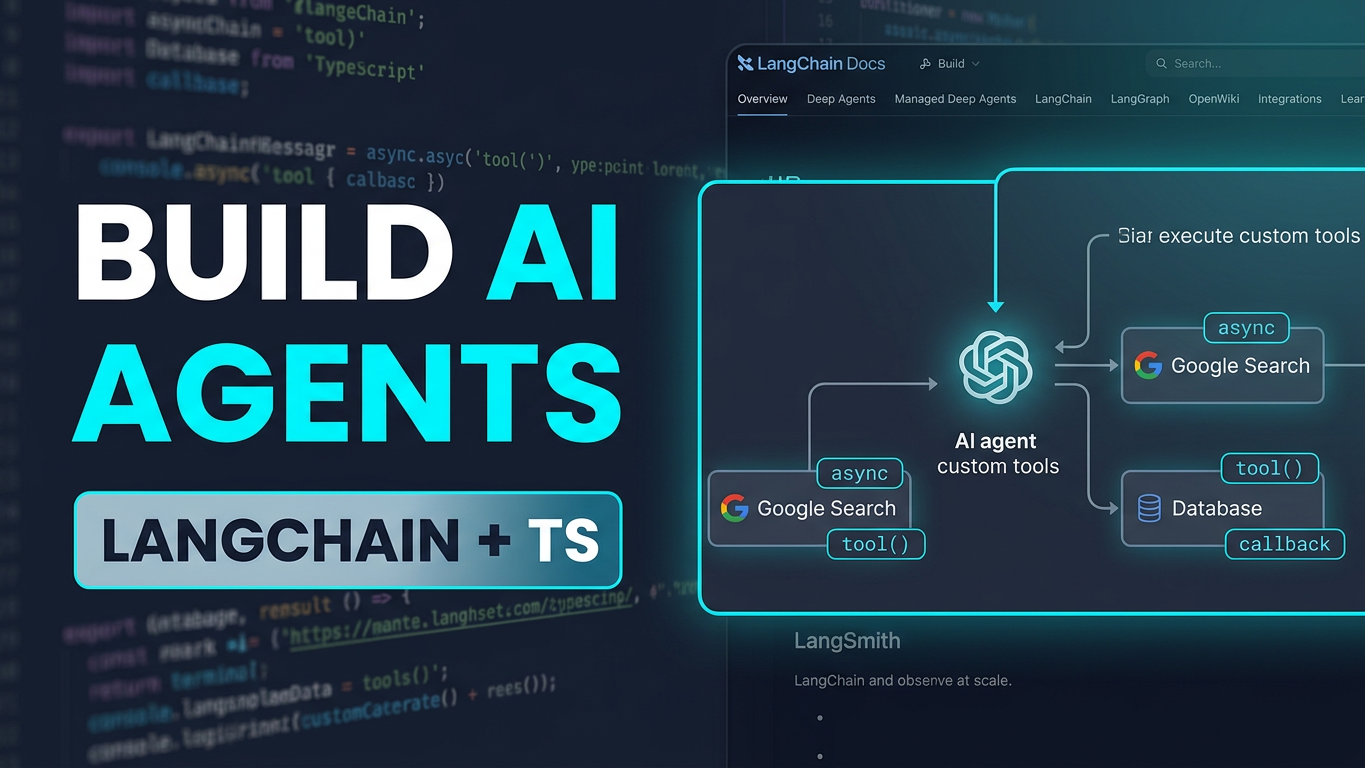
Based on the technical walkthrough in LangChain TypeScript for Beginners: Live Unedited Training & Real Bug Fixes, this article deconstructs how to construct single-agent workflows without getting trapped by fragile abstractions or mounting cloud token costs.
flowchart TD
    User([User Prompt]) --> AgentLoop[Agent Execution Runtime]
    AgentLoop --> LLMProxy[Unified LLM Proxy / OpenAI-Compatible Endpoint]
    LLMProxy --> ModelEval{Requires Tool Call?}
    ModelEval -- Yes --> ToolSchema[Validate Parameters via Zod / Pydantic]
    ToolSchema --> ToolExec[Execute Tool Function: e.g., getWeather]
    ToolExec --> ToolMsg[Return ToolMessage to Context]
    ToolMsg --> LLMProxy
    ModelEval -- No --> AIMsg[Return AIMessage Final Output]
    AIMsg --> User
Hook & Problem Space
Most introductory tutorials for AI agents suffer from two recurring flaws:
- The Python Monopoly: Almost every online tutorial relies solely on Python scripts. Full-stack architects and backend engineers building interactive web portals, event-driven microservices, or React/Next.js frontends must integrate agents directly into Node.js and TypeScript ecosystems.
- The Cloud Trap: Relying on proprietary SaaS APIs for rapid prototyping quickly balloons development costs. Running local open-weight models via Ollama requires substantial dedicated hardware (minimum 16GB RAM for low-parameter models).
In production 24/7 reality, unmonitored agent loops risk runaway token consumption, silent model crashes, and schema misalignment. Real-world systems require:
- Decoupled model providers using standardized OpenAI-compatible Base URL proxies.
- Resilient tool contracts backed by schema validation (Zod in TypeScript, Pydantic in Python).
- Deterministic response parsing that handles asynchronous promises and multi-turn message arrays.
Core Concepts Made Simple
To build reliable agents, developers need a firm grasp of four architectural layers:
- The Chat Model Connector: Standardized interfaces (such as
@langchain/openaiorChatOpenAI) establish connections via two parameters:baseURLandapiKey. Pointing these to a unified proxy or local gateway enables swapping between Gemini, Groq, or self-hosted models without altering business logic. - Tool Calling Contracts: A tool is an executable function paired with a strict schema. The LLM does not execute code directly; it outputs structured JSON arguments adhering to the schema.
- The Agent Runtime Loop: The agent continuously evaluates the conversation history:
- If the LLM requests a tool call, the agent pauses generation, executes the local function, appends a
ToolMessagewith the result, and calls the model again. - When no more tool calls are requested, it outputs the final
AIMessage.
- Message Array Parsing: Multi-turn tool execution produces a history containing
SystemMessage,HumanMessage,AIMessage(with tool calls),ToolMessage, and the closingAIMessage. Reliable extraction reads from the tail (messages[messages.length - 1]).
Architectural Stack Overview
- Infrastructure: Local development workstation or Linux VPS (minimum 2 vCPU, 4GB RAM for proxy routing; 16GB+ RAM if running local Ollama inference).
- Orchestration: LangChain Core agent runner with ES Module (
type: "module") execution. - Engine / Gateway: Unified LLM proxy routing OpenAI-compatible endpoints (
/v1/chat/completions) across models that explicitly support function calling. - Security & Schema Validation: Strict runtime parameter validation using Zod (TypeScript) and Pydantic (Python) to prevent prompt injection and malformed parameter errors.
Step-by-Step Implementation
Environment Prerequisites
Verify Node.js (v20+ LTS recommended) and Python (3.11+):
node -v
npm -v
python3 --version
TypeScript Project Setup
mkdir langchain-ts-agent && cd langchain-ts-agent
npm init -y

# Configure ES Modules in package.json
npm pkg set type="module"

# Install LangChain Core, OpenAI Connector, and Zod
npm install @langchain/core @langchain/openai langchain zod dotenv
Hardware allocation recommendation:
- vCPU: 2 Cores
- RAM: 2 GB (Node.js runtime + proxy connection)
- Disk: 1 GB free storage
Dual Implementations
1. TypeScript Implementation (src/agent.ts)
Key failure points addressed:
- Explicit
.jsextension handling for Node.js native ES modules. - Proper
awaithandling to prevent unresolved promises onagent.invoke(). - Explicit error handling for models lacking native tool-calling capabilities.
import { ChatOpenAI } from "@langchain/openai";
import { createReactAgent } from "@langchain/langgraph/prebuilt";
import { tool } from "@langchain/core/tools";
import { z } from "zod";
import * as dotenv from "dotenv";

dotenv.config();

// 1. Define Tool Schema and Function
const weatherSchema = z.object({
  city: z.string().describe("The name of the city to retrieve weather for"),
});

const getWeatherTool = tool(
  async ({ city }: { city: string }) => {
    // Production integration: Call external weather API
    // Fallback deterministic mock for pipeline verification
    return JSON.stringify({
      city,
      condition: "Sunny",
      temperature: "32°C",
      humidity: "65%",
    });
  },
  {
    name: "get_weather",
    description: "Fetches current real-time weather information for a specified city.",
    schema: weatherSchema,
  }
);

// 2. Initialize Model Connector via OpenAI-Compatible Base URL
const model = new ChatOpenAI({
  modelName: process.env.MODEL_NAME || "gemini-1.5-flash",
  temperature: 0.2,
  configuration: {
    baseURL: process.env.LLM_BASE_URL || "http://localhost:8080/v1",
    apiKey: process.env.LLM_API_KEY || "dummy-local-key",
  },
});

// 3. Initialize Agent Runtime with System Prompt Persona
async function runAgent(prompt: string): Promise<string> {
  const tools = [getWeatherTool];
  const agent = createReactAgent({
    llm: model,
    tools,
  });

  const response = await agent.invoke({
    messages: [
      {
        role: "system",
        content: "You are an accurate, professional weather broadcaster. Present data clearly.",
      },
      {
        role: "user",
        content: prompt,
      },
    ],
  });

  // Extract the latest AI message from the conversation trail
  const messages = response.messages;
  const lastMessage = messages[messages.length - 1];

  return typeof lastMessage.content === "string"
    ? lastMessage.content
    : JSON.stringify(lastMessage.content);
}

// Execution block
(async () => {
  try {
    const result = await runAgent("What is the current weather in Kolkata?");
    console.log("\n[Agent Output]:\n" + result);
  } catch (error) {
    console.error("[Runtime Error]:", error);
    process.exit(1);
  }
})();
2. Python Implementation (agent.py)
import os
import json
from typing import Dict, Any
from pydantic import BaseModel, Field
from langchain_core.tools import tool
from langchain_openai import ChatOpenAI
from langgraph.prebuilt import create_react_agent

# 1. Define Tool Schema and Function
class WeatherInput(BaseModel):
    city: str = Field(description="The name of the city to retrieve weather for")

@tool("get_weather", args_schema=WeatherInput)
def get_weather(city: str) -> str:
    """Fetches current real-time weather information for a specified city."""
    return json.dumps({
        "city": city,
        "condition": "Sunny",
        "temperature": "32°C",
        "humidity": "65%",
    })

# 2. Initialize Model Connector via OpenAI-Compatible Base URL
llm = ChatOpenAI(
    model=os.getenv("MODEL_NAME", "gemini-1.5-flash"),
    temperature=0.2,
    base_url=os.getenv("LLM_BASE_URL", "http://localhost:8080/v1"),
    api_key=os.getenv("LLM_API_KEY", "dummy-local-key"),
)

# 3. Initialize Agent Runtime
def run_agent(prompt: str) -> str:
    tools = [get_weather]
    agent = create_react_agent(model=llm, tools=tools)

    inputs = {
        "messages": [
            ("system", "You are an accurate, professional weather broadcaster. Present data clearly."),
            ("user", prompt),
        ]
    }

    response = agent.invoke(inputs)
    messages = response.get("messages", [])
    if not messages:
        return "No response generated."

    last_message = messages[-1]
    return str(last_message.content)

if __name__ == "__main__":
    try:
        output = run_agent("What is the current weather in Kolkata?")
        print("\n[Agent Output]:\n" + output)
    except Exception as err:
        print(f"[Runtime Error]: {err}")
        exit(1)
Production FAQ
1. Why does the agent return [Promise] instead of text in TypeScript?
In Node.js asynchronous programming, calling agent.invoke() returns a Promise. Forgetting await causes console logs to output Promise { <pending> }. Always prefix asynchronous calls with await within an async function context or top-level ES module scope.
2. How do you resolve Tool calling not supported errors?
Not all open-weight or free LLMs have fine-tuned support for function calling. If a model only supports text generation, passing a tools array triggers validation rejections or silent loops. Ensure the upstream model specifically advertises function calling (e.g., Gemini 1.5, GPT-4o-mini, Mistral-Instruct, or Groq-hosted Llama-3-Tool-Use variants).
3. How do you prevent Node.js ES module import errors (ERR_MODULE_NOT_FOUND)?
When "type": "module" is configured in package.json, Node’s native module loader requires explicit file extensions for local relative paths (e.g., import { model } from "./model.js"; instead of "./model"). Ensure build systems (tsc, esbuild, or tsx) match your runtime import specifier strategy.
4. How should memory and state be isolated across concurrent users?
Do not store conversational state in global in-memory variables. For production deployments with multiple concurrent sessions, pass a thread/session identifier to LangGraph memory checkpointers (such as Redis or PostgreSQL checkpointers) to keep customer conversation histories isolated and prevent context bleed.
Level Up Your AI Engineering & DevOps Architecture
Transitioning from toy prototypes to resilient, cost-effective production systems requires deep, hands-on experience across backend engineering, cloud infrastructure, and modern AI toolchains.
If you are an engineer, technical lead, or startup founder looking to build sovereign, production-grade systems, explore my 1-to-1 live mentoring and interactive courses at shibajidebnath.com/courses:
-
Master Agentic AI: MCP, ACP, & Autonomous Systems:
Deepen your practical knowledge of Model Context Protocol (MCP), agent frameworks, tool-use orchestration, and private model integration in enterprise applications. (40 Hours • Online Live Mentoring) -
Master in DevOps & Infrastructure Automation:
Master containerization, systemd process supervision, reverse proxy gateway architectures (Nginx/Caddy), VPC network boundaries, and high-availability deployment pipelines. (40 Hours • Online Live Mentoring) -
Master in Artificial Intelligence & Local LLMs:
Learn model quantization, local inference pipelines, KV cache tuning, RAG patterns, and vector database architectures for real-world workloads. (40 Hours • Online Live Mentoring) -
Master in Python & High-Performance Backends:
Build high-throughput data processing scripts, typed asynchronous APIs, and resilient microservices capable of driving AI workloads. (40 Hours • Online Live Mentoring) -
Master in Node.js, Express & Microservices:
Architect robust TypeScript backend runtimes, manage connection lifecycles, and integrate streaming LLM responses directly into full-stack web applications. (40 Hours • Online Live Mentoring)
👉 Explore all personalized 1-on-1 courses and syllabus breakdowns: Browse All Courses & Mentorship Programs